
For Schools
Ignite Curiosity, Build Tomorrow's Space Leaders
Transform your classrooms into space innovation hubs with hands‑on labs, workshops, and cutting‑edge technology that inspire every student to explore, create, and dream big.
overview
Space Science, Right in Your School
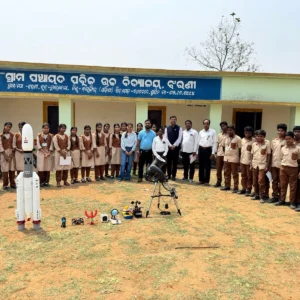
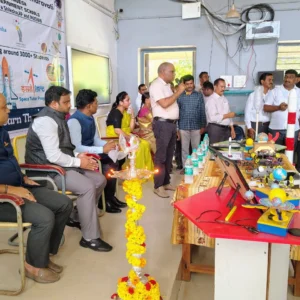
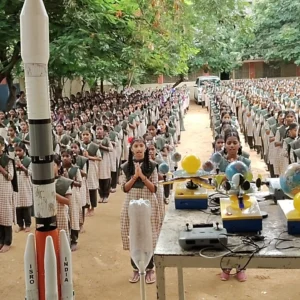
At Muskan, we don’t just teach space science we bring the cosmos to your classroom. As an ISRO-certified Space Tutor, our mission is to transform theoretical curiosity into hands-on innovation. From the roar of a water rocket launch to the precision of satellite design, our programs are the launchpad for India’s next generation of space scientists. We bring real space science directly into school classrooms through customizable labs, expert-led workshops, and immersive learning experiences. Whether you’re setting up a permanent Space Skill Lab or hosting short-term bootcamps, our programs combine hands-on projects in rocketry, drones, robotics, and astronomy with expert mentoring to spark curiosity and build STEM confidence in every learner. As a School Leader, you can start the Space Skill Curriculum in 2 ways:
- Antariksha Yuva Mission
- Antariksha Prayogshala
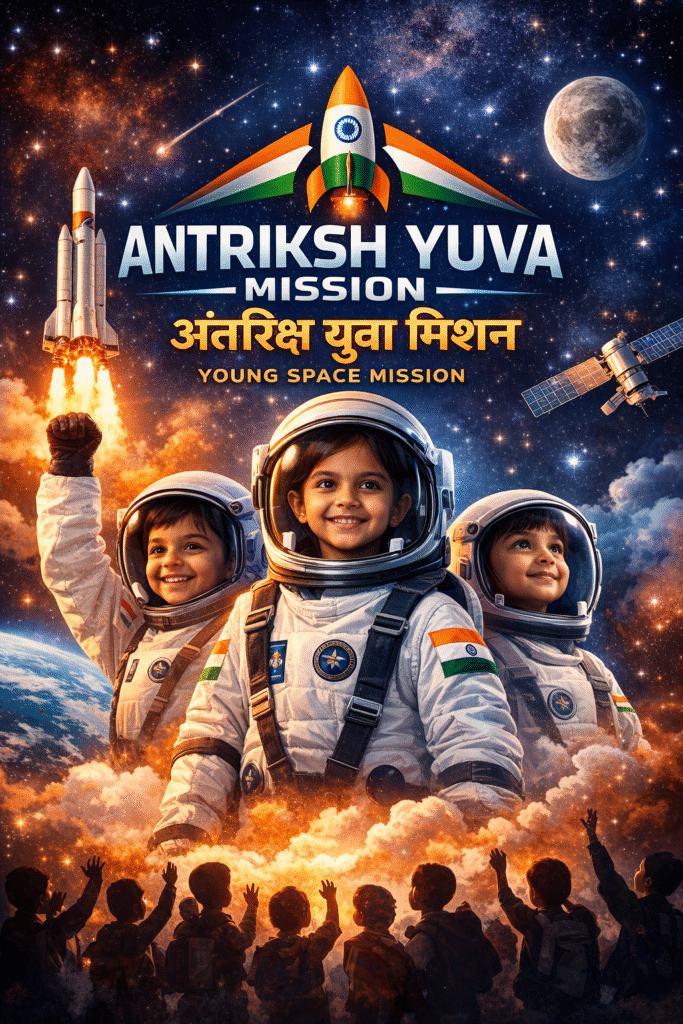
1. Antariksha Yuva Mission
(Space Skill Workshops)
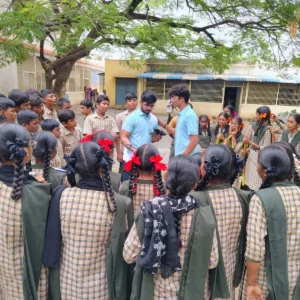
Before going with permanent Space Skill Labs, Schools can host short‑term programs such as:
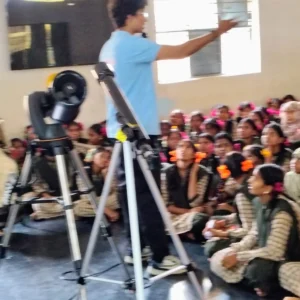
Space Science Bootcamps that introduce fundamentals of space, rockets, and satellites.
Rocketry Workshops where students build and launch model rockets safely.
Drone‑Making Workshops covering design, assembly, and flight basics.
Robotics Basics sessions that teach core electronics and programming concepts.
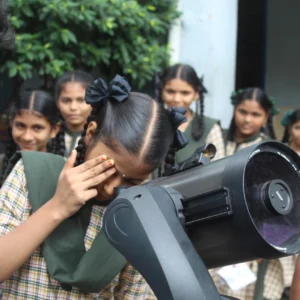
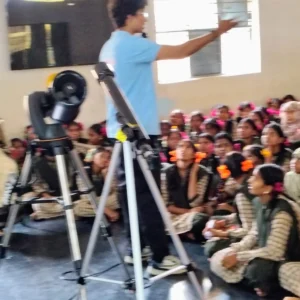
Astronomy Night Camps with telescopes and guided sky‑watching experiences.
How These Programs Benefit the Youth
Our initiatives are designed to do more than impart facts; they build the foundational skills required for a future-ready career:
Hands-On STEM Mastery: Students move beyond textbooks by applying physics and mathematics to real-world engineering problems.
Critical Thinking & Problem Solving: Designing a stable rocket or a functioning satellite model requires logical reasoning and iterative testing.
Career Pathways in Aerospace: By exposing youths to ISRO-certified curricula early, we pave a clear path toward careers in space research, drone tech, and engineering.
Confidence & Teamwork: Our team-based competitions foster leadership and collaborative skills, essential for any high-tech environment.
National Pride: By engaging with India’s space legacy, students develop a sense of ownership and pride in our country’s scientific achievements.
Ready to bring the universe to your institution? Contact us today to host a workshop!
2. Antariksha Prayogshala
(Space Skill Lab)
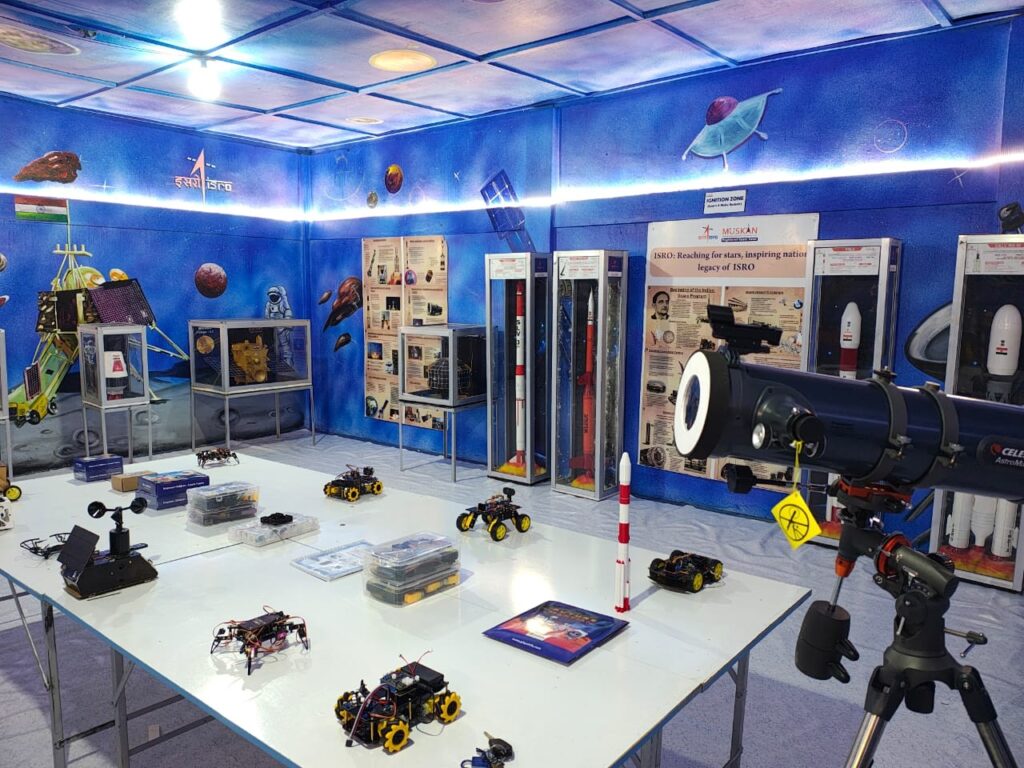
We design and install customizable Space Skill Labs featuring seven core skill zones, each illustrated with engaging photos so students can see and experience real space technology. Every lab can be tailored to your syllabus and budget, ensuring the right mix of equipment, activities, and teacher support for your institution.
Click on a Segment (Skill) Below to know more about it
🚀 The Rocket Zone: From Inspiration to Ignition
Welcome to the Ignition Zone, a premier space within our lab dedicated to the science of Rockets and the legacy of Indian aerospace. We bridge the gap between observing history and creating the future through our dual-track exhibit and activity center.
1. The Gallery of Giants: ISRO Exhibit
Experience the evolution of Indian space exploration through our authentic ISRO scale models. These high-fidelity exhibits offer a c
lose-up look at the engineering marvels that have put India on the lunar surface and beyond!
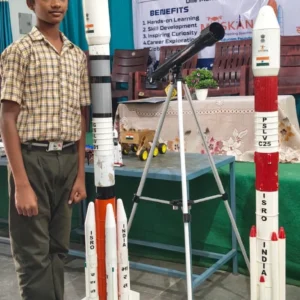
- Sounding Rocket: The pioneer that started it all.
- PSLV: The “Workhorse of ISRO,” famous for its precision and reliability.
- GSLV D1: Featuring the indigenous cryogenic stage.
- LVM3 (GSLV Mk III): Our heavy-lift hero, the backbone of the Chandrayaan and Gaganyaan missions.
- HRLV (Human Rated Launch Vehicle): A modified LVM3 designed for the Gaganyaan mission.
2. The Flights: Hands-On STEM
We believe the best way to understand physics is to launch it. Our Rocket Zone features three distinct activity stations where students move from basic aerodynamics to complex propulsion:
- 💨 Station A: Stomp Rockets (Pneumatics)
- The Activity: Students design fins and nose cones to test how air pressure translates to vertical flight.
- Focus: Understanding launch angles and Newton’s Second Law ($F = ma$).
- 💧 Station B: Hydro Rockets (Pressurization)
- The Activity: Using water as a propellant, students experiment with “fuel” volume versus air pressure.
- Focus: Studying the Center of Pressure (CP) vs. the Center of Gravity (CG) for stable flight.
- 🔥 Station C: Chemical Rockets (Combustion)
- The Activity: Controlled experiments using solid or liquid propellants to observe chemical energy release.
- Focus: Understanding thrust-to-weight ratios and the chemistry of “Lift-Off.”
“Theory meets Thrust.” Our Rocket Zone isn’t just a display—it’s a testing ground for the next generation of aerospace engineers.
🛰️ The Payload Bay: Eyes and Ears in Orbit
If the Rocket Zone is about the “muscle” of spaceflight, the Payload Bay is about the “brain.” This zone is dedicated to the sophisticated instruments satellites carry into orbit and the complex systems that keep them operational in the deep-space environment.
1. The Satellite Gallery: ISRO Mission Exhibit
Step into a curated gallery of authentic ISRO mission models. These high-fidelity exhibits allow students to study the configuration and hardware of India’s most historic milestones:
- Aryabhata Satellite: [The Legend] A model of India’s first indigenous satellite (1975). Study its unique 26-sided “quasi-spherical” shape designed for passive thermal control.
- Chandrayaan-1: India’s first lunar probe, credited with the historic discovery of water molecules on the Moon.
- Chandrayaan-2 Orbiter: A masterpiece of remote sensing, currently providing high-resolution maps of the lunar surface.
- Chandrayaan-3 “Vikram” Lander: The hero of the lunar south pole, featuring its unique reinforced landing legs and hazard detection sensors.
- Aditya L1 Satellite: Our eye on the Sun, showcasing the specialized payloads designed to study the solar corona from the L1 point.
- Mangalyaan (MOM): The legendary Mars Orbiter, famous for its efficiency and for making India the first nation to reach Mars on its maiden attempt.
2. Working Models: Interact with Space Tech
We don’t just show you satellites; we show you how they work. Students can get hands-on with these 4 specialized working models:
- 🚜 Working “Pragyan” Rover
- The Tech: A functional 6-wheeled robotic vehicle using Rocker-Bogie suspension, just like the real rover on the Moon.
- Student Activity: Use a remote interface or Bluetooth controller to navigate “Pragyan” over a simulated lunar obstacle course, testing how it handles rocky terrain and craters.
- 🌦️ IoT Weather Station Payload
- The Tech: A real-time terrestrial sensor array that mirrors a meteorological satellite’s payload.
- Student Activity: Monitor live telemetry (temperature, humidity, pressure, and light) on a digital dashboard. Students learn how ISRO satellites predict cyclones and monitor climate change.
- 🌍 Earth Orbits & Satellite Dynamics
- The Tech: A dynamic simulator showing the difference between LEO (Low Earth Orbit), MEO, and GEO (Geostationary).
- Student Activity: Adjust the orbital speed to see why weather satellites “hover” over India while others “zoom” past for rapid mapping.
- 🛰️ Cube Satellite (Structure, Senors & Power)
- The Tech: A modular satellite bus featuring sensors and articulating solar panels.
- Student Activity: Align the satellite to “Sun” lamps to maximize power intake to activate the sensors and learn how the “Bus” supports the “Payload” during the journey.
“From Aryabhata to Aditya.” Our Payload Bay celebrates the curiosity that drove India to space and provides the tools for the next generation to take the lead.
🔭 The Cosmic Corner: Your Window to the Universe
The Cosmic Corner is where we look upward and outward. Here, students transition from satellite engineering to deep-space observation, mastering the celestial mechanics that govern our solar system and the distant stars.
1. Celestial Mechanics: The Working Models
We use physical simulations to make abstract cosmic concepts tangible. Our working models help students visualize the “dance” of the Earth, Sun, and Moon. Astronomy is the foundation of our modern calendar. These models show how ancient civilizations and modern scientists use the sky to measure life on Earth:
- Solar System Demonstrator: A dynamic orrery showing the relative orbits and speeds of the planets as they circle the Sun.
- 3D Moon Model: A high-relief, accurate representation of the lunar surface, allowing students to study craters, maria, and the landing sites of the Chandrayaan missions.
- Moon Phase Demonstrator: An interactive tool that explains why the Moon appears to change shape, from New Moon to Full Moon, based on its position relative to Earth and the Sun.
- Solar & Lunar Eclipse Model: A specialized rig that demonstrates the precise alignment required for the Moon’s shadow to fall on Earth (Solar) or the Earth’s shadow to cover the Moon (Lunar).
- Astronomy Sun Dial: A hands-on tool for understanding how the Sun’s shadow can be used to track hours and solar noon.
- Time Indicator: A device that bridges the gap between solar time and clock time, teaching students how Earth’s rotation serves as our master “timekeeper.”
- Day & Night & Season Change Models: Synchronized demonstrators that show how the Earth’s rotation and axial tilt create our daily cycles and yearly seasons.
Exoplanet Detection Chart: A specialized station where students study “Light Curves” to learn how scientists detect planets orbiting distant stars.
2. Tools of the Astronomer
In this section, students go from being observers to “instrument makers,” learning the optics and math required to see into the deep past.
- Precision Observation
- Working Quality Telescope: Our lab features high-aperture telescopes for real-time sky gazing. Students learn to calibrate mounts, align finderscopes, and track planets.
- The Maker’s Workshop
- Telescope Making Kit: Don’t just look through a lens—build one. Students assemble their own refracting telescopes, learning about focal lengths and the physics of light.
Planisphere Making: A “Star Map” workshop where students construct their own rotating planispheres to identify constellations visible at any time of year.
“Look up, not down at your feet.” The Cosmic Corner teaches us that while we are on a small planet, our curiosity has no boundaries.
🚁 AeroHub: The Sky is the Limit
Welcome to the AeroHub, our lab’s center for aeronautics and unmanned flight. From the simple physics of a folded wing to the complex stability of a multi-rotor hexacopter, this section explores how we conquer the skies.
1. The Fleet: From Micro to Pro
Our flight line features a diverse range of aircraft, allowing students to study how different configurations affect lift, payload capacity, and flight duration:
- Minicopter & Quadcopter: The perfect entry point for beginners. These nimble flyers teach the basics of pitch, yaw, roll, and throttle management.
- Hexacopter: With six powerful motors, our hexacopter provides a look into heavy-lift capabilities and redundancy—demonstrating how professional drones stay airborne even if a motor fails.
- Professional Grade Drone: Equipped with high-definition gimbal cameras, and autonomous flight modes, this is the same technology used in modern aerial surveying, agriculture, and filmmaking.
2. Flight Foundation: The Science of Air
Before taking to the skies, students must master the “Invisible Force” of aerodynamics through hands-on fabrication and simulation:
- Paper Planes Kit: Where every pilot begins. This workshop focuses on the four forces of flight—Lift, Weight, Thrust, and Drag. Students experiment with wing geometry to see how subtle folds change flight stability.
- Flying Simulation: Master the sticks without the risk. Our high-fidelity flight simulators allow students to practice maneuvers in various weather conditions, building the muscle memory needed for real-world piloting.
3. The Path to Professionalism
We don’t just teach you how to fly; we show you how to become a certified pilot in India’s booming drone industry.
DGCA License Guidance (Optional): For those looking to take their skills to the commercial level, we provide information and pathways toward obtaining a Remote Pilot Certificate from a DGCA-approved Remote Pilot Training Organization (RPTO). Learn the “Drone Rules” of the Indian sky and prepare for a career in the “Digital Sky.”
“Navigate the Air, Master the Tech.” In the AeroHub, we turn students into pilots and engineers, ready to lead the next revolution in aerial logistics and exploration.
🤖 ROBOHUB: The Future of Automation
The ROBOHUB is our lab’s high-tech playground where students learn to breathe life into metal and silicon. Here, we explore the intersection of mechanical design, electronic circuitry, and the “brain” of the machine: Coding.
1. The Arena: Competition & Mechanics
Robotics is a team sport. In our arena, students test the durability and control of their builds through high-energy interaction:
- Football / Battle Robots Set: A dual-purpose arena kit where students master remote-control precision. Whether it’s a strategic match of robot football or a high-intensity battle of “last bot standing,” this station teaches the fundamentals of torque, traction, and drive-train mechanics.
- Spider Robot (Hexapod): Move away from wheels and into the world of Bio-mimicry. This multi-legged robot challenges students to understand complex gait patterns and servo-motor synchronization to mimic the movement of living creatures.
- Robotic Arm: A 4-to-6 axis industrial simulation. Students learn about kinematics and “Pick-and-Place” logic, the same technology used in ISRO’s satellite assembly lines and automotive factories.
2. Autonomous Rovers: The “Brain” in Action
In this section, robots stop following commands and start making their own decisions. These rovers use sensors to navigate the world:
- Obstacle Avoiding Rover: Using Ultrasonic Sensors, this bot “sees” barriers and calculates a new path—demonstrating the same logic used in self-driving cars and planetary rovers.
- Light Following Rover: A lesson in Phototropism. Using LDR sensors, this rover hunts for light sources, teaching students how analog signals can be converted into motor movement.
- Smart Car: A comprehensive platform that integrates multiple sensors (Line following, IR, and Speed control) into a single vehicle to showcase a fully integrated autonomous system.
3. The Maker’s Workbench: Electronics & Logic
Before a robot can move, it must have a heartbeat. This is where students master the “nervous system” of technology:
- Electronics Kit & Sensors (35+ Types): A massive library of components including Hall-effect sensors, PIR motion detectors, soil moisture probes, and gyroscopes. If a robot needs to “feel” something, the tool is found here.
- Circuit Maker Kit: A hands-on station for breadboarding and prototyping. Students move from simple LED circuits to complex logic gates, learning the flow of current and the importance of resistors and capacitors.
“Code, Build, Compete.” In the ROBOHUB, we don’t just use technology—we build it from the ground up to solve the problems of tomorrow.
🖨️ Creative Print Station: From Pixels to Plastic
The Creative Print Station is where the digital world meets the physical. This is our “Micro-Factory,” where students learn to design, slice, and manufacture complex geometries that would be impossible to create by hand. If you can imagine it, you can print it.
1. The Print Farm: Additive Manufacturing
Our station is equipped with precision machinery that turns spools of filament into functional prototypes and intricate art:
- High-Resolution 3D Printers: Our fleet uses FDM (Fused Deposition Modeling) technology to melt and layer high-strength polymers with micron-level accuracy.
- Rapid Prototyping: See how engineers go from a “napkin sketch” to a physical part in just a few hours. This is the same process ISRO and Boeing use to test scale models of rocket components.
- Materials Lab: Explore different filaments like PLA (easy-to-print and biodegradable), PETG (durable and weather-resistant), and TPU (flexible, rubber-like material).
2. The Digital Workshop: Design & Slicing
Printing is only half the battle. This station teaches students the software “brains” behind the hardware:
- CAD Design Studio: Learn the fundamentals of Computer-Aided Design (CAD). Students use professional-grade software to build 3D objects from scratch, focusing on structural integrity and “Design for Manufacturing” (DFM).
- The Slicing Station: Master the “Slicer”—the software that converts 3D models into G-Code (the language the printer speaks). Students learn to adjust layer height, infill density, and support structures to optimize their prints.
- 3D Scanning: Watch how we use sensors to digitize physical objects, turning real-world items into editable 3D files.
Learning Outcomes
- Geometry in 3D: Visualizing X, Y, and Z axes in a practical, hands-on environment.
- Iterative Design: Understanding that “failure” in a first print is just a step toward a perfect final product.
- Sustainability: Learning how additive manufacturing reduces waste compared to traditional “subtractive” carving or machining.
“Dream it. Design it. Print it.” The Creative Print Station turns students into creators, giving them the tools to manufacture the future, one layer at a time.
🥽 The Portal: Immersive VR Experience
Welcome to The Portal, our Virtual Reality (VR) station where the boundaries of the lab disappear. Through high-end VR headsets and motion-tracking technology, we transport students from their desks to the furthest reaches of the cosmos. Here, you don’t just learn about space—you live it.
1. The Missions: Choose Your Destination
Our VR library features hyper-realistic simulations developed with actual spatial data to provide a “you-are-there” experience:
- 🌕 The Chandrayaan Experience
- Step onto the lunar surface alongside the Vikram Lander. In this immersive simulation, students can:
- Walk through the “Moon Room” and experience the desolate beauty of the Lunar South Pole.
- Watch the Pragyan Rover deploy its ramp and begin its historic trek.
- Look back at the “Pale Blue Dot” of Earth from a perspective only a handful of humans have ever seen.
- 🛰️ International Space Station (ISS) Mission
- Experience life as an astronaut in microgravity:
- Station Tour: Float through the modules of the ISS, from the Zvezda Service Module to the famous Cupola window.
- Spacewalk (EVA): Step outside the station to perform critical repairs while orbiting 400km above the Earth.
- Physics of Weightlessness: See how simple tasks like drinking water or moving objects change when gravity is removed.
Why VR for Science?
- Empathy & Scale: It is one thing to read that the Sun is huge; it is another to stand “next” to it in VR and feel its scale.
- Risk-Free Exploration: Students can experiment with “dangerous” orbital maneuvers or expensive satellite repairs without any real-world risk.
- Engagement: VR turns complex, abstract physics into a memorable, emotional experience that sticks for a lifetime.
“Reality is just the beginning.” At The Portal, we give you the keys to the universe. Put on the headset and take your first step into the infinite.
Gallery
Moments From Our Space Journey
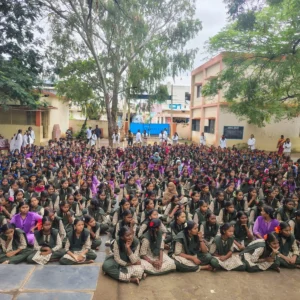
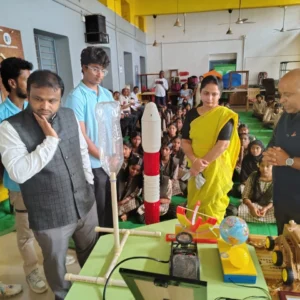
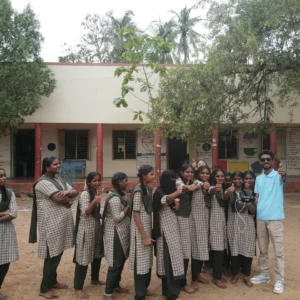
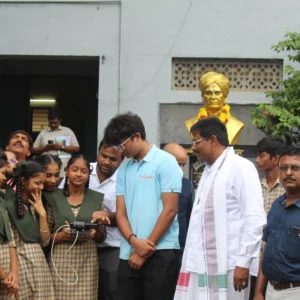
A visual journey through our labs, workshops, space camps, and student achievements that bring our mission to life.